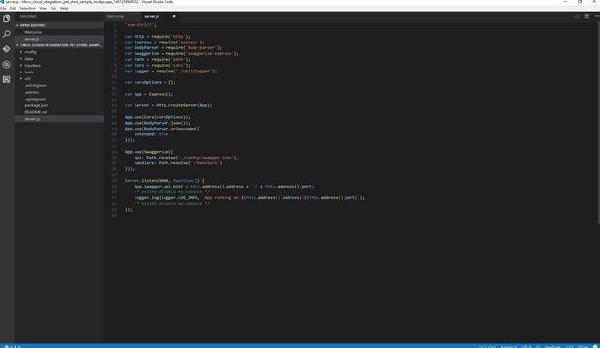
With Node.js in TIBCO Cloud Integration you have a solid toolset for building APIs. Here we’ll create a custom Express middleware that checks if the IP address of the sender matches a predefined list. In this tutorial we’ll use the list of TIBCO Mashery Traffic Managers as a ‘whitelist’ (so traffic from all other IP addresses will be blocked).
Some assumptions #
A few assumptions going in, which should cover most readers. If you have questions, post them below or at the TIBCO Community.
- You’re using the generated Node.js code from TIBCO Cloud Integration (You can check this link for more details)
- You’re familiar with Express and Node.js
- You know the Mashery IP addresses can be found at https://developer.mashery.com/docs/read/proxy_information/Archived_IP_Whitlisting_Information (if you didn’t know that, you do now :-))
Express middleware #
Middleware functions in Node.js have access to the request and response objects in your Express app. From the Express docs, middleware can:
- Execute any code.
- Make changes to the request and the response objects.
- End the request-response cycle.
- Call the next middleware in the stack.
We care about the third and fourth bullet here. If the request doesn’t come from Mashery we end the cycle. If it does, we call the next middleware in the stack.
The code #
Our middleware needs to do one thing: check whether the request IP is a Mashery Traffic Manager IP. Three requirements:
- We need to check both
x-forwarded-forandremoteAddressso the same code works locally and in TIBCO Cloud Integration. - Mashery publishes IPs in CIDR format, so we need to translate those into ranges and check for matches.
- Following Node.js best practices, we’ll put this in its own file. I’ve called it
mashery.jsand stored it in the ‘util’ folder.
'use strict';

var ip = require('ip');
var Logger = require('./logger');

/**
* To test locally add '::1/32' or '127.0.0.1/32' to the list.
*/
var trafficManagerIPs = ['64.94.14.0/27',
   '64.94.228.128/28',
   '216.52.39.0/24',
   '216.52.244.96/27',
   '216.133.249.0/24',
   '23.23.79.128/25',
   '107.22.159.192/28',
   '54.82.131.0/25',
   '75.101.137.168/32',
   '75.101.142.168/32',
   '75.101.146.168/32',
   '75.101.141.43/32',
   '75.101.129.141/32',
   '174.129.251.74/32',
   '174.129.251.80/32',
   '50.18.151.192/28',
   '50.112.119.192/28',
   '54.193.255.0/25',
   '204.236.130.149/32',
   '204.236.130.201/32',
   '204.236.130.207/32',
   '176.34.239.192/28',
   '54.247.111.192/26',
   '54.93.255.128/27',
   '54.252.79.192/27'];

module.exports = function (req, res, next) {
   var invalidMasheryIP = true;
   var reqIp = req.headers['x-forwarded-for'] || req.connection.remoteAddress;

   for (var i = 0, len = trafficManagerIPs.length; i < len; i++) {
       if (ip.cidrSubnet(trafficManagerIPs[i]).contains(reqIp)) {
           invalidMasheryIP = false;
           next();
       }
   }

   if (invalidMasheryIP) {
       Logger.log(Logger.LOG_WARN, `An unauthorized IP address ${reqIp} has tried to access the service`);
       res.status(403).end();
   }
};
Using it in your Node.js app #
To make sure every request goes through the Mashery check first, require the new file and add an App.use line above all other middleware. Here’s what that looks like:
'use strict';

var Http = require('http');
var mashery = require('./util/mashery');

...

App.use(mashery);

...
Wrapping up #
A few lines of code (and some copy/paste) and you can validate whether requests come from a specific set of IPs. The only thing left is to deploy your Node.js app.