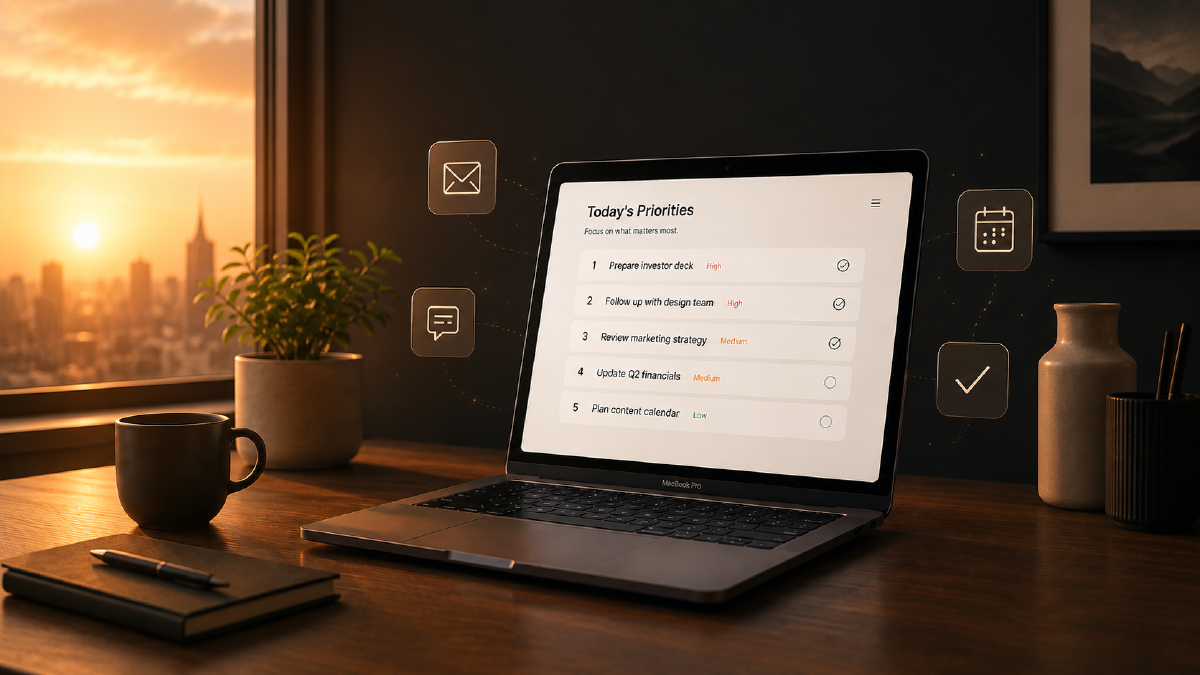
I used to spend the first 30-45 minutes of every workday catching up. Open Slack, scroll through 15+ channels. Open email, scan the inbox. Check the calendar. Check reminders. By the time I’ve figured out “what needs my attention today?”, I haven’t actually done anything yet. In this post, I describe how I solved that for me.
The problem #
My company spans time zones. Decisions happen overnight. Questions get asked and sometimes answered before I’m online. Important things get buried across different apps, and the mental load of context-switching between all of them just to build a picture of my day is real.
There’s also the fear of missing something. Did someone DM me something urgent? Is there an email I should have replied to yesterday? Did a decision get made in a channel I forgot to check? That low-grade anxiety of “I might have missed something important” is what drives the compulsive checking.
The inspiration #
Jillian Gartner, a marketing leader at Amazon, posted about building an “AI Chief of Staff” using Amazon Quick. Her system does morning briefings, VIP alerts, to-do tracking, team wins, competitive intel, and performance data. She built ten agents and six functions and keeps it running 24/7.
I read that and thought: I don’t need all of that. I just need the morning briefing. One thing, connected to and integrated with the tools I use. And I also wanted to see if I could build it with what I already had.
What it does #
Here’s what a typical, obviously sanitized, morning brief looks like:
## ☀️ Daily Brief — Tuesday, May 12

### 🔴 Needs Attention
- DM from [colleague]: asking for input on customer proposal, sent yesterday evening
- Overdue reminder: submit expenses for customer visit

### 🟡 Important Today
- Email from [manager]: FY26 planning doc shared, review requested by Thursday
- #team-channel: decision made on Q3 event strategy — you were mentioned for a follow-up
- Reminder: prep slides for Friday's customer meeting

### 📅 Today's Schedule
| Time | Meeting | Type |
|------|---------|------|
| 09:00 | Team standup | Internal |
| 11:00 | Customer deep-dive: data platform | Customer |
| 14:00 | Company meeting | Internal |

### ✅ Today's Tasks
- [ ] Submit travel expenses ⚠️ overdue
- [ ] Review planning doc
- [ ] Prep Friday slides

### 📬 Unread Emails (4)
- **[Manager]**: FY26 planning — shared doc for review. Needs reply.
- **[Colleague]**: Re: summit logistics — confirming room setup. FYI.
- **[External]**: Newsletter digest. FYI.
- **[Team lead]**: Feedback on draft blog post. Needs reply.

### 💬 Slack Activity
**DMs waiting for reply:**
- [Colleague]: Asked for input on customer proposal scope

**Channel highlights:**
- #team-channel: Q3 event strategy finalized, you're tagged for speaker slot
- #announcements: new internal tool rollout next week

### 🟢 Awareness
- #general: office social event next Friday
- Newsletter from [external source] about data governance trends
The key: I read this before opening Slack or email. By the time I do open them, I already know what’s there and what matters. No scrolling, no scanning, no anxiety.
How it works #
The entire thing is a single SKILL.md file of about 150 lines of instructions. No code, no cron jobs, and no database needed.
I’ve set it up to read from four sources via different types of integrations:
- Slack (MCP) — DMs and monitored channels from the last 24 hours
- Outlook email (MCP) — unread inbox only, with summaries
- Outlook calendar (MCP) — today’s committed meetings (skips Free/Tentative)
- Apple Reminders (osascript) — today’s tasks and overdue items
The AI follows a simple three-phase flow:
- Gather — read all sources silently
- Prioritize — sort into 🔴 / 🟡 / 🟢 tiers
- Format — output as a single readable brief
That’s it. I activate the skill, say “brief me,” and it does the rest.
The key design decisions #
Priority tiers, not a dump. The brief doesn’t just list everything but rather triages the input. What’s blocking someone? What’s time-sensitive? What’s just FYI? To me, that is the difference between useful and overwhelming.
Email summaries before opening email. Each email gets a 1-2 sentence summary and a “needs reply” or “FYI” tag. Good enough to decide what to tackle first without opening the inbox.
Skip empty sections. Quiet morning? The brief says so because there is no padding or “nothing to report” for sections that don’t have any input.
Configurable channels. Not all Slack channels matter equally. I use a separate reference file to tell my AI which channels to monitor:
## Tier 1 — Always Monitor
- team-channel
- announcements
- project-alpha

## Tier 2 — Check if relevant
Only include activity from these if it mentions you or contains decision-relevant content.
- general-discussion
- random
This is where you tune signal vs. noise. Adding a channel or removing a channel doesn’t require any code changes. A simple change in the markdown file of channels and next time the skill runs, I get different channel input
Exclusions matter. I wanted only actionable items, so the skill skips Free/Tentative calendar events, already-replied emails, channels with no activity, and completed reminders. That way the brief only shows what’s actionable or informational right now.
What I want to add next #
There are a few things I’m thinking about adding:
- Wiki tie-in: I’ve built a Wiki, so I want my skill to reference customer details and project notes from the Wiki
- Time awareness: I want to surface meetings I need to prepare for based on how soon they are, not just that they exist
- Auto-run on login: Ideally I want to trigger the skill automatically when Kiro starts in the morning instead of me asking for it
- Action item extraction: I would like it to pull tasks from Slack and email into Reminders automatically
How to build your own #
The skill format is straightforward. You need:
- A SKILL.md file with frontmatter (name, description) and instructions for the AI
- MCP servers configured for Slack and Outlook (these give the AI access to read your messages, email, and calendar)
- A channels.md reference file that lists which Slack channels to monitor
- Apple Reminders access via osascript (macOS only, no setup needed)
The core structure of the skill:
# Daily Brief: Morning Prioritized Summary

## Phase 1: Gather Sources
- Slack: DMs + monitored channels (last 24h)
- Email: unread inbox only, with summaries
- Calendar: today's committed meetings
- Reminders: due today + overdue

## Phase 2: Prioritize
- 🔴 Needs attention: someone blocked on you, overdue items, urgent emails
- 🟡 Important today: meetings, emails needing reply, relevant channel activity
- 🟢 Awareness: FYI emails, interesting but non-urgent channel activity

## Phase 3: Generate the Brief
- Output as markdown in chat
- Skip empty sections
- Keep items to 1-2 lines max
The full skill file is available on GitHub. Drop it in your ~/.kiro/skills/ directory and you’re set.
Takeaway #
Jillian’s system is absolutely impressive! She built 10 agents that run 24/7. But I didn’t need all of that. I only needed a morning briefing that tells me what needs me today. One file with four data sources and three priority tiers.
The 30-45 minutes I used to spend context-switching between apps is now a 2-minute read. I know what’s urgent, what’s important, and what can wait before I open anything.
I’m removing the undifferentiated heavy lifting so I can start the actual work sooner and better prepared!